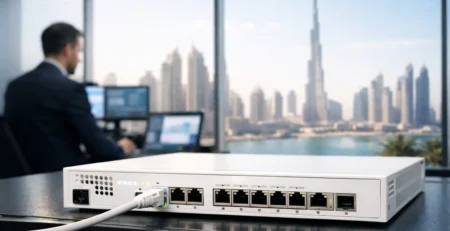
Cisco N9K-C9336C-FX2 Switch Buying Guide
The Cisco n9k-c9336c-fx2 is a high-density 100GbE data center switch intended for environments where uplink capacity, port consolidation, and predictable leaf-spine connectivity matter more than access-layer feature breadth. It is frequently specified for spine roles, high-capacity leaf deployments, and aggregation designs that need 40GbE and 100GbE interfaces in a compact platform. For procurement teams, the model number is only the starting point. The correct purchase depends on interface breakout plans, operating mode, airflow direction, power configuration, software entitlement, and the optics already deployed in the fabric.
What the N9K-C9336C-FX2 Is Designed to Do
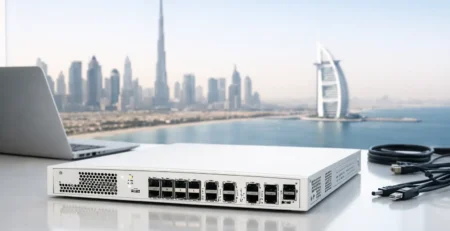
The N9K-C9336C-FX2 is part of the Cisco Nexus 9300 FX2 family. It provides 36 QSFP28 ports supporting 40GbE and 100GbE connectivity in a 1RU fixed-form-factor switch. At full density, the platform delivers up to 3.6 Tbps of switching capacity, making it appropriate for east-west traffic patterns generated by virtualization clusters, container platforms, distributed storage, and large application tiers.
Its value is not simply the number of physical ports. A 36-port 100GbE design can reduce the number of spine switches, aggregation devices, rack units, power feeds, and inter-switch connections required by a comparable lower-speed architecture. That consolidation can simplify the physical fabric, but it also raises the importance of careful capacity planning. A fully populated 100GbE switch can concentrate a significant amount of traffic into one hardware domain.
The platform is commonly evaluated in leaf-spine topologies. As a spine switch, it can provide 100GbE connectivity to a group of leaf switches. As a leaf, it can aggregate high-performance servers, storage systems, or downstream devices using supported breakout cabling and optics. The right role depends on port utilization, oversubscription targets, routing design, and the growth horizon of the data center.
Port Architecture and Breakout Planning
Each front-panel interface is a QSFP28 port. That gives infrastructure teams flexibility, but it does not mean every port should be treated as a generic 100GbE connection. The selected optic, cable assembly, peer interface, and supported software release determine the practical connection type.
A 100GbE QSFP28 port can be used for native 100GbE links, while compatible configurations may support breakout operation for lower-speed connections such as 4x25GbE. Likewise, 40GbE QSFP+ connectivity may be used where the network still includes earlier-generation Nexus switches, storage platforms, or 40GbE server aggregation. Breakout is particularly useful during phased upgrades because it can connect multiple 25GbE endpoints through a single high-speed switch port.
However, breakout introduces design constraints. It consumes high-speed port capacity quickly, can complicate labeling and patching, and may create uneven utilization across the switch. A team planning 25GbE server connectivity should compare this platform with a native 48-port 1/10/25GbE Nexus model with dedicated 100GbE uplinks. The N9K-C9336C-FX2 is generally the stronger fit when 100GbE density is the primary requirement, not when the objective is simply to maximize the number of direct 25GbE host connections.
Before ordering, document the intended port map: native 100GbE links, 40GbE links, breakout ports, spare capacity, and the media required for each connection. This avoids the common procurement error of receiving the correct chassis but an incomplete set of transceivers, breakouts, or compatible patch cables.
Optics, DACs, and AOC Selection
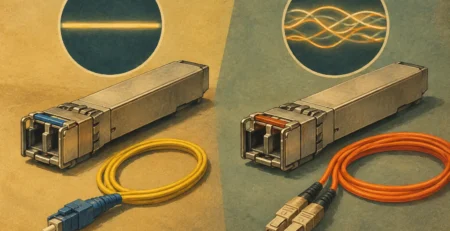
The switch itself does not include optics. The media decision should be made alongside the hardware order, not after installation. Direct-attach copper cables can be cost-effective for short, in-rack or adjacent-rack links. Active optical cables can simplify short-to-medium distance deployments where copper is impractical. Pluggable optics are typically the preferred option for structured cabling, longer distances, and environments that require specific fiber types.
Validate the required speed, reach, connector type, fiber type, and peer-device compatibility for every link. Also verify that the planned optic or cable is supported by the selected Nexus hardware and the intended NX-OS release. A 100GbE link can fail a design review because of a seemingly small mismatch: multimode versus single-mode fiber, a breakout cable wired for the wrong application, or an optic not approved for the installed software train.
Software Mode Is a Design Decision
The N9K-C9336C-FX2 can be used in Cisco NX-OS-based environments and, when supported by the selected release and architecture, in Cisco ACI fabrics. These are not interchangeable operational choices.
NX-OS deployments suit teams that want direct control over traditional data center switching functions, including Layer 2 and Layer 3 segmentation, routing protocols, VXLAN EVPN designs, and established command-line operational workflows. This approach can be appropriate for organizations with existing Nexus operational standards or a fabric design that does not require centralized policy automation.
ACI deployments position the switch as part of a policy-driven fabric. This can improve consistency across large environments, but it adds controller, fabric compatibility, and lifecycle requirements. Buyers should confirm the target ACI release, supported switch image, role assignment, and compatibility with existing spines, leaves, and controllers before introducing an FX2 platform into a production fabric.
Do not treat software as an afterthought. The required operating mode affects the bill of materials, implementation process, support expectations, and future upgrade path. For replacement projects, match the configuration to the existing fabric rather than assuming that a similar Nexus chassis will behave identically.
Power, Cooling, and Physical Deployment Checks
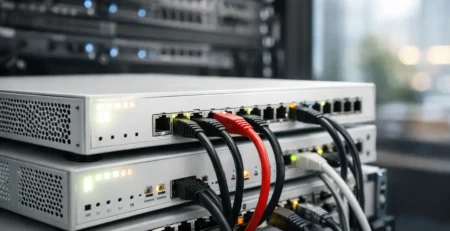
A 1RU chassis can make the N9K-C9336C-FX2 look straightforward to deploy, but high-density 100GbE switching has real power and thermal requirements. Confirm the power supply count, input type, redundancy requirement, and available rack power before shipment. A production design normally requires redundant power feeds, with the switch configuration selected to preserve operation after the loss of one feed or power supply.
Airflow direction matters just as much. Cisco Nexus switches are available with specific airflow options, and those options must match the data center’s hot-aisle and cold-aisle layout. Installing a switch with the wrong airflow direction can create thermal problems even when the rack has sufficient cooling capacity. Ensure the chassis, fans, and power supplies use a consistent airflow configuration.
Consider the heat profile of the installed optics as well. Dense 100GbE optical deployments consume more power and generate more heat than passive copper-heavy configurations. A switch that meets power requirements when lightly populated may require a different assessment once every QSFP28 port carries an active optical module.
Procurement Checks That Prevent Delays
For enterprise hardware purchases, the chassis SKU is only one line item. A complete procurement review should cover the switch condition and support requirement, power supply configuration, fan configuration, airflow orientation, rail or mounting requirements, software and license needs, optics, cables, breakout assemblies, and spare hardware strategy.
For replacement purchases, obtain the serial and configuration details of the failed or installed unit where possible. This makes it easier to match airflow, power components, software compatibility, and operational role. A replacement that is electrically compatible but built with opposite airflow or an unsuitable power configuration can create avoidable downtime.
For expansion purchases, confirm whether the new switch will join an existing fabric or establish a new pod. Existing topology, peer speeds, optical standards, routing scale, and controller versions often determine the correct hardware package more than the desired port count alone. System integrators and managed service providers should also verify lead times for every dependent component, especially specialized 100GbE optics and breakout cables.
Gear Net Technologies LLC can support model-specific sourcing for the N9K-C9336C-FX2 and associated enterprise networking components, helping buyers align the chassis with required power, cooling, interface, and deployment specifications.
When This Switch Is the Right Fit
The N9K-C9336C-FX2 is a strong candidate when a network needs dense 40GbE or 100GbE connectivity in limited rack space, particularly for spine layers, high-bandwidth aggregation, and compute or storage fabrics. It also fits migration projects where 100GbE backbone capacity is needed while selected downstream links remain at 25GbE or 40GbE through supported breakouts and media choices.
It may be less suitable when the design requires large numbers of native 1/10/25GbE access ports, when most links are low-speed management or campus connections, or when the fabric does not need high-density QSFP28 interfaces. In those cases, a different Nexus 9300 model can offer a more efficient port mix and lower total media cost.
The practical purchasing question is not whether the switch supports 100GbE. It is whether its 36 high-speed ports map cleanly to the network you need to operate for the next three to five years. A validated port map, compatible optics plan, and matched power and airflow configuration will turn the N9K-C9336C-FX2 from a capable chassis into a deployable infrastructure component.

I am an enthusiastic tech blogger with 15 years of experience in the technology field. I am passionate about sharing valuable insights and helping people who are interested in technology gain useful and practical information. I am originally from Mumbai, India.