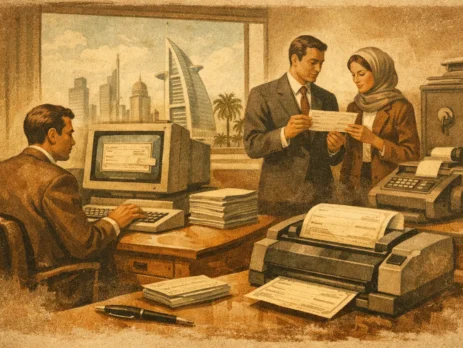
Cheque Printing Software UAE: What Businesses Need
A cheque that prints with a misaligned amount, incorrect signatory field, or outdated account layout is more than an office inconvenience. It can delay supplier settlement, create reconciliation work, and expose weaknesses in payment controls. For organizations evaluating cheque printing software UAE requirements, the decision should begin with operational accuracy: bank-specific layouts, controlled access, dependable printer output, and a traceable approval process.
This is not simply a document-printing requirement. Finance teams need a payment workflow that connects approved invoice data to a correctly formatted physical cheque, while IT teams need an application and print environment that remains secure, supportable, and available when payment runs are due.
Why cheque printing remains an infrastructure concern
Electronic payment methods have reduced cheque volumes in many organizations, but cheques still appear in supplier payments, property management, payroll exceptions, reimbursement workflows, and transactions that require a physical payment instrument. Where they remain in use, the process often combines accounting data, user approvals, secure stationery, and a locally attached or networked printer.
A manual process introduces predictable failure points. Users may retype payee names and amounts, select the wrong account, print a duplicate cheque, or lose visibility of who authorized the payment. A suitable system reduces these risks by using controlled data sources, defined approval rights, sequential numbering, and print logs.
The correct product depends on transaction volume and system complexity. A small company may need a standalone application connected to its accounting software. A multi-entity organization may require ERP integration, separate bank accounts, delegated approval rules, and centralized audit reporting. The objective is not to buy the most feature-heavy platform. It is to implement the level of control the payment process actually requires.
Core requirements for cheque printing software UAE deployments
Bank-ready layouts and controlled templates
The first technical requirement is a verified cheque template for each issuing bank account. The software must place the date, payee, numeric amount, written amount, account details, and authorized signature area in the correct positions on the approved cheque stock. Even minor alignment errors can make a cheque unusable.
Do not assume that a generic template is sufficient because the organization uses standard paper size. Cheque dimensions, security fields, account details, and print margins can differ between banks and between stationery batches. Request a sample layout, complete a controlled test print, and retain the approved configuration as a documented baseline.
Template administration matters as much as template creation. Only authorized users should be able to edit a bank layout, change numbering rules, or select a different issuing account. If the software permits free-form editing for every operator, it shifts a material control risk back to the user.
Accounting and ERP data integration
Cheque printing should begin from approved payment records, not from manually entered values whenever integration is possible. The system needs a reliable method to receive payee details, invoice references, payment dates, amounts, currency, and bank account selection from accounting or ERP workflows.
Integration can range from direct connectivity with a finance platform to structured imports through CSV or spreadsheet files. Direct integration is generally preferable for high-volume payment runs because it limits rekeying and supports clearer reconciliation. A controlled import process can be appropriate for lower volumes, provided files are restricted, reviewed, and archived.
Procurement teams should verify which accounting platforms are supported and how the connection works. Ask whether the software uses an API, a database connector, a scheduled export, or a manual file import. Also confirm how payment status returns to the accounting system after a cheque is printed, voided, or reissued. A one-way export can create reconciliation gaps if the finance team must update payment records separately.
Segregation of duties and auditability
A useful cheque application should distinguish between preparing a payment, approving it, printing it, and voiding it. In a smaller finance department, one person may perform more than one function, but their activity should still be recorded. For larger organizations, role-based permissions are essential.
At a minimum, the audit trail should identify the user, time, payment reference, cheque number, issuing account, and action performed. It should also retain voided or spoiled cheque records rather than allowing them to disappear from the sequence. This gives finance and audit teams a clear explanation for every missing number.
Signature handling requires particular care. Storing signature images inside a payment application may be practical, but it increases access-control requirements. Organizations with strict authorization policies may prefer a process in which approved cheques print without signatures and are signed separately. The appropriate approach depends on internal policy, payment value, and the controls surrounding the print process.
Printer compatibility and output consistency
Cheque software is only as dependable as the printer path behind it. Confirm whether the application supports the intended laser, inkjet, or specialized cheque printer and whether it requires a local USB connection, a Windows print queue, or a network printer. Hardware selection should account for approved stationery, expected volume, toner availability, duplex settings, and tray configuration.
Networked printing can simplify shared access, but it needs clear controls. A printer used for cheque production should not be an unmanaged office device available to every department. Restrict access to the approved print queue, use a fixed configuration, and prevent automatic scaling or fit-to-page settings that can shift critical fields.
For business continuity, document a fallback printer and test it with the same stationery. A replacement printer with different paper handling or driver behavior can alter alignment, even when the software template is unchanged.
Build the workflow before selecting the product
Software demonstrations often focus on how quickly a cheque can be printed. The more useful question is what happens before and after printing. Map the current process from invoice approval through cheque issuance, signing, dispatch, reconciliation, and archival. Identify where payment data enters the process and who can alter it.
This exercise typically exposes requirements that are missed in a feature checklist. For example, a company may need separate numbering sequences for multiple legal entities, a restriction preventing backdated cheques, or a report showing all cheques printed during a payment run. Another organization may need positive-pay file support, multilingual payee fields, or printed invoice references for supplier queries.
Define exception handling as well. The process should state what happens when paper jams, a cheque is spoiled, a payee changes after approval, or a signed cheque is lost. Good software helps record these events, but the finance policy determines whether the resulting payment is voided, reprinted, or escalated.
A practical vendor evaluation process
Treat evaluation as a controlled test rather than a sales presentation. Provide prospective vendors with representative but non-sensitive samples of cheque stock, payment data, entity structures, and expected print volumes. Then assess the actual output and administrative controls.
A useful acceptance test should confirm that the solution can:
- Print each required bank layout at the approved positions without manual adjustment.
- Import or receive payment data without changing payee, amount, reference, or account information.
- Enforce user permissions for preparation, approval, printing, and voiding.
- Maintain an unbroken cheque-number sequence with documented voids and reprints.
- Produce reports that finance can reconcile to the accounting system and bank records.
Also evaluate deployment ownership. Determine where the application is hosted, how data is backed up, who applies updates, and whether licenses are assigned per user, printer, company, or server. A low initial license cost can become less attractive if every additional bank account, user, or entity requires a separate charge.
Support arrangements deserve the same scrutiny. Finance payment runs cannot wait for a general ticket queue when a printer driver update changes output alignment. Confirm escalation procedures, response expectations, template support, and access to technical personnel who understand the application as well as the print environment.
Secure the supporting IT environment
Cheque printing is a finance process with physical output, so security must cover both the software and the office infrastructure. Use individual user accounts, strong authentication, restricted administrative access, and regular backups of templates, configuration, audit logs, and payment records. If the software relies on a database server or shared folder, include it in normal patching, backup, and access-review procedures.
Printer connectivity should be segmented appropriately within the organization’s network design. For shared environments, use managed switching, controlled print-server access, and documented printer addresses rather than ad hoc workstation sharing. IT teams should also maintain driver versions and test changes before applying them to payment-production devices.
For organizations sourcing the wider infrastructure required to support these workflows, the priority is compatibility and lifecycle planning. A reliable print service depends on more than the application: network access, endpoint availability, replacement hardware, power protection, and supportable operating systems all affect the payment window.
The right cheque printing platform should make payment production controlled and repeatable, not merely faster. Start with the bank layout, approval model, accounting data path, and printer configuration, then validate the full process with real test cases before placing it into production.

I am an enthusiastic tech blogger with 15 years of experience in the technology field. I am passionate about sharing valuable insights and helping people who are interested in technology gain useful and practical information. I am originally from Mumbai, India.