VMware Virtualization Tools for Enterprise Infrastructure
A failed host, an undersized datastore, or an unsupported network adapter can turn a planned maintenance window into an extended outage. VMware virtualization tools help enterprises control those risks by separating workloads from individual physical servers, then managing compute, storage, networking, and availability as a coordinated platform. For infrastructure teams, the value is not simply higher server utilization. It is the ability to standardize operations, recover faster, and scale application capacity without redesigning the physical environment for every new workload.
The correct VMware platform depends on the workloads being hosted, the required recovery objectives, available hardware, and the organization’s licensing and support model. A small virtualized cluster and a multi-site private cloud may use the same core hypervisor, but they should not be designed, purchased, or operated in the same way.
What VMware Virtualization Tools Cover
VMware virtualization tools are commonly discussed as a single product category, but they support several distinct infrastructure functions. The core is the ESXi hypervisor, installed directly on qualified physical servers. ESXi abstracts processor, memory, storage, and network resources so multiple virtual machines can run independently on one host.
vCenter Server provides centralized management for ESXi hosts and virtual machines. It is the operational control plane for clusters, role-based administration, templates, alarms, resource policies, and advanced availability capabilities. In an enterprise deployment, vCenter is usually the difference between operating a collection of standalone hosts and operating a managed virtualization environment.
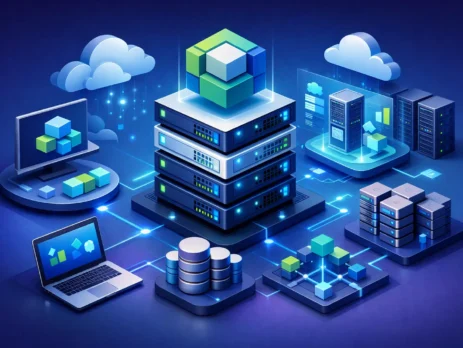
The wider portfolio can also include software-defined storage, virtual networking, workload automation, monitoring, and cloud management. VMware vSAN pools local server storage into shared datastores. VMware NSX provides virtualization and policy control for networking and security. VMware Aria products address areas such as operations management, automation, logging, and cost visibility. VMware Cloud Foundation packages key infrastructure components for organizations building a more integrated private cloud operating model.
Not every organization needs every component. Adding platforms without a clear operational requirement can increase licensing cost, training demands, and troubleshooting complexity. The right design starts with the services the business must deliver, not a feature checklist.
Core VMware Virtualization Tools for Compute
ESXi and vCenter remain the primary building blocks for most virtual server environments. ESXi has a small footprint and runs directly on server hardware, avoiding the overhead of a general-purpose host operating system. Virtual machines can then be configured with defined CPU, memory, disk, and network allocations based on application requirements.
When hosts are organized into a cluster, vCenter can enable capabilities such as vMotion, High Availability, Distributed Resource Scheduler, and maintenance mode. vMotion moves a running virtual machine between compatible hosts with minimal disruption. High Availability restarts virtual machines on surviving hosts after a host failure. Distributed Resource Scheduler can place and rebalance workloads based on resource demand, subject to the policies set by administrators.
These features require design discipline. High Availability does not replace application-level clustering, database replication, or tested backup and recovery procedures. It protects against certain host failures, but it does not correct a corrupted guest operating system, an accidental deletion, or an application dependency failure. Similarly, live migration depends on compatible host CPUs, correctly configured networking, sufficient capacity, and accessible shared storage.
Capacity planning is therefore central to virtualization. Teams should reserve enough headroom to restart critical workloads after a host failure, rather than calculating utilization only under normal conditions. CPU overcommitment may be acceptable for predictable, lightly loaded workloads. Memory overcommitment deserves greater caution, particularly for databases, transaction systems, and latency-sensitive applications. The headline consolidation ratio is less useful than sustained performance under failure conditions.
Hardware compatibility is an operational requirement
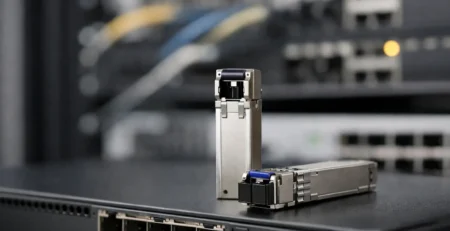
A virtualization platform is only as dependable as its physical foundation. Before procuring servers, network adapters, storage controllers, and optics, validate the exact model and firmware combination against the supported compatibility information for the planned VMware release. A server that powers on successfully is not necessarily a supported production host.
Pay particular attention to network interface cards, host bus adapters, RAID or storage controllers, and boot devices. Driver availability can vary between ESXi releases. Older adapters may function only with an earlier release, while newer server platforms may require a current release and specific firmware levels. This matters during refresh projects, when a mixed cluster can introduce CPU compatibility limits, inconsistent driver behavior, and uneven performance.
For procurement teams, the required specification should identify the server model, processor generation, memory configuration, storage controller, network adapter speed, transceiver type, and supported firmware baseline. Generic descriptions such as “10Gb network card” are not sufficient when the deployment depends on a particular driver, port type, or switch interoperability requirement.
Storage, Networking, and Management Design
Virtual machines need reliable storage, but there is no single correct architecture. Traditional shared storage may use Fibre Channel, iSCSI, or NFS, depending on existing infrastructure and performance requirements. vSAN uses locally attached disks across cluster hosts to create shared storage, which can simplify the physical architecture but places greater importance on server disk configuration, network bandwidth, and cluster sizing.
The choice often comes down to operational model and workload behavior. An organization with established SAN skills and existing storage investment may continue to benefit from external shared storage. A branch environment or a standardized scale-out deployment may prefer vSAN if the hardware configuration and fault-domain design are appropriate. Neither approach removes the need for tested backups, monitoring, and capacity controls.
Virtual networking deserves the same level of engineering. Separate management, virtual machine, storage, and migration traffic according to the design requirements. Use redundant physical paths and define VLAN, trunking, MTU, and uplink policies consistently across hosts and switches. A misconfigured virtual switch or storage VLAN can appear as an application issue even when the application itself is healthy.
Where NSX is justified, it can apply security policy closer to individual workloads through microsegmentation and distributed networking controls. This can reduce dependence on broad network trust zones. However, NSX is not a substitute for sound physical network design. The underlay must still provide predictable routing, bandwidth, redundancy, and visibility.
Licensing and Lifecycle Planning After Platform Changes
VMware licensing, bundles, product names, and entitlement structures have changed materially in recent years. Organizations should confirm current commercial terms directly through their authorized procurement and support channels before committing to an architecture. Do not assume that a historical perpetual license, legacy edition, or prior renewal model maps directly to a current offering.
This is especially relevant for organizations renewing support, expanding clusters, or replacing aging hosts. A hardware refresh may also be the right point to assess whether the existing VMware design still matches business requirements. Some environments require the full feature set of a centralized platform with automated operations. Others may need a smaller, tightly controlled cluster with a simpler management scope.
Build a lifecycle plan around more than license dates. Track server warranty expiration, firmware support, hypervisor release support, network adapter compatibility, storage growth, backup repository capacity, and application operating system requirements. A legacy host may remain functional while becoming difficult to patch or replace quickly after a hardware failure. Maintaining exact spare components, supported transceivers, power supplies, and compatible network modules can reduce recovery time for critical sites.
A Practical Evaluation Process
Start by classifying workloads: business-critical applications, databases, infrastructure services, virtual desktops, test environments, and development systems have different availability and performance profiles. Then define the required recovery time, recovery point, expected growth, and maintenance-window tolerance for each group.
Next, size the physical layer for normal operation and host-failure operation. Confirm compatible servers, memory, storage devices, network interfaces, switches, and cabling. Validate whether the architecture requires shared storage, vSAN, dedicated backup connectivity, or separate management networks. Finally, align the design with the available administrative skills. An advanced feature is only valuable when the team can monitor, maintain, and recover it with confidence.
For businesses sourcing enterprise infrastructure across Africa, Gear Net Technologies LLC can support the component-level procurement work that virtualization projects often expose: replacement power supplies, compatible modules, switching hardware, and exact network accessories. The key is to purchase against an approved bill of materials, not broad category descriptions.
A well-designed VMware environment gives IT teams options when hardware fails, workloads grow, or maintenance must happen without interrupting the business. Treat software selection, hardware compatibility, and lifecycle sourcing as one infrastructure decision, and the platform will be far easier to operate when it matters most.

I am an enthusiastic tech blogger with 15 years of experience in the technology field. I am passionate about sharing valuable insights and helping people who are interested in technology gain useful and practical information. I am originally from Mumbai, India.