Cisco Nexus Modules Compatibility Checklist
A line card that physically slides into a Cisco Nexus chassis can still be the wrong purchase. Cisco Nexus modules compatibility depends on the exact switch family, chassis generation, supervisor, NX-OS release, port mode, power budget, and sometimes the transceiver connected to the port. For procurement teams replacing failed hardware or expanding capacity, a part number match is only the start of the validation process.
This is especially relevant in mixed-age data center environments, where a current replacement order may need to work alongside installed supervisors, fabric modules, optics, and software releases that were selected years earlier. The correct compatibility check prevents avoidable outages, return shipments, and maintenance windows spent troubleshooting unsupported hardware.
Start With the Nexus Platform, Not the Module
Cisco uses the Nexus name across fixed and modular platforms with very different hardware architectures. A module intended for a Nexus 7000 chassis is not interchangeable with a Nexus 9000 modular chassis, even when both products use similar interface speeds or port descriptions. Compatibility belongs to a specific platform family and, frequently, to a particular chassis model within that family.
The first procurement record should therefore identify the installed chassis or switch model, its product ID, serial number, current NX-OS version, and installed supervisor or system controller. This baseline matters because a module can be supported by a family generally but excluded from an earlier chassis revision or a particular supervisor combination.
For fixed-configuration Nexus switches, the term module often refers to expansion modules, uplink modules, fan trays, power supplies, or storage and memory components. These parts are no less model-specific. A Nexus 9300 uplink or expansion option must be verified against the exact 9300 series model, not simply against the broader Nexus 9000 label.
How Cisco Nexus Modules Compatibility Is Determined
Cisco compatibility documentation normally evaluates more than the line card itself. A valid configuration is a combination of hardware and software components. The practical question is not, “Does this module fit?” It is, “Will this module operate in this complete system at the required feature set and port speed?”
Chassis, Slot, and Fabric Requirements
On modular platforms, each slot has defined electrical, bandwidth, and cooling characteristics. Some line cards are supported only in certain slots, while others require a minimum fabric capacity or a specific generation of fabric module. Installing a high-density card into a supported chassis does not guarantee it will deliver the expected forwarding bandwidth if the fabric configuration is undersized.
Supervisor compatibility is equally significant. Certain line cards require a newer supervisor engine, system controller, or fabric generation. Older supervisors may recognize neither the card nor its advanced capabilities. This is common when organizations extend the life of a chassis with newer interface modules.
Before purchasing, compare the proposed module against the installed chassis model, available slot type, fabric modules, and supervisor part numbers. Also confirm whether the design requires all installed cards to operate at a common hardware generation or whether mixed generations are supported.
NX-OS Release Support
A supported hardware combination may still require a minimum NX-OS release. The switch can reject an unsupported module, leave interfaces inactive, or operate without features expected by the design. In other cases, a newer NX-OS image supports the module but introduces an upgrade requirement for the full chassis.
This creates a real operational trade-off. Upgrading NX-OS may be straightforward in a lab or scheduled maintenance window, but a production environment may have dependencies on features, automation tools, or existing licenses. Procurement should verify the minimum supported release before hardware arrives, then confirm that the planned software image supports all currently installed modules as well as the new one.
Port Personality and Breakout Options
Port speed alone does not define interoperability. Nexus interfaces can have specific port personalities, lane allocation rules, and breakout restrictions. For example, a 40GbE or 100GbE port may support breakout operation only on selected ports, with designated cable types and a particular NX-OS release. A card with QSFP interfaces may accept a transceiver physically while still not support the intended breakout configuration.
Confirm the required operating mode before ordering optics and cables. State whether the design needs 10GbE, 25GbE, 40GbE, 50GbE, 100GbE, or higher-speed connectivity, along with any breakout requirement. This avoids buying a compatible line card that cannot deliver the port density the project assumed.
Optics and Cables Need Their Own Check
A line card and transceiver are separate compatibility decisions. Cisco Nexus platforms support optics according to the interface type, software release, and hardware family. The fact that an SFP, SFP+, SFP28, QSFP+, or QSFP28 optic has the right form factor does not prove it is approved for a given port.
Distance, fiber type, wavelength, and link partner also matter. A short-range multimode optic is not a substitute for a long-range single-mode design, and a direct-attach cable may have platform-specific length limitations. For inter-switch links, verify both ends of the connection, not only the new Nexus module.
Third-party or coded optics can be part of a cost-sensitive strategy, but they should be evaluated against the organization’s support policy and operating risk. Where vendor support and predictable replacement behavior are priorities, use documented and traceable optics. For critical links, maintain matched spare transceivers and cables rather than treating them as generic accessories.
Power, Cooling, and Physical Constraints
High-density line cards can increase chassis power draw and thermal load substantially. A configuration may be functionally supported yet require additional power supplies, a higher-capacity power mode, or specific airflow direction. These requirements are often missed when a replacement module is ordered independently from the original chassis build.
Check the available power budget under normal and redundant operation. If the chassis uses N+1 or grid redundancy, calculate capacity after a power supply failure rather than only under full installed supply capacity. Also confirm fan tray compatibility and front-to-back or back-to-front airflow requirements. A mismatched airflow component can create a thermal issue even when its connector and form factor appear correct.
Physical depth and cable management deserve attention in crowded racks. High-port-count modules may change cable bend radius, transceiver access, and service clearance. These are installation constraints, but they can affect whether an expansion is practical without a planned rack rework.
Licensing and Feature Dependencies
Some Nexus deployments require licenses or enabled feature sets for advanced routing, automation, security, telemetry, or fabric functions. The module may come online without a separate license while the intended service remains unavailable. This is particularly relevant for designs that depend on overlay networking, MPLS, MACsec, advanced Layer 3 functions, or application-centric fabric capabilities.
Validate the target function, not just the hardware status. A project request for additional ports may actually require specific routing scale, feature licensing, or software packages that differ from the existing environment. Licensing models can also vary across NX-OS releases, so a planned upgrade should be reviewed alongside the module purchase.
A Procurement Validation Record That Works
For routine replacements and larger expansions, a concise validation record reduces ambiguity between network engineering, procurement, and the supplier. Include the installed product ID and hardware revision, proposed module part number, chassis slot, supervisor and fabric part numbers, NX-OS version, required port mode, optics or cable part numbers, power configuration, and required licenses.
Use the exact PID whenever possible. Cisco module naming can be deceptively similar, and suffixes may indicate different airflow, port configurations, generations, or regional power variants. If a unit is refurbished or sourced from secondary inventory, request condition details, serial traceability where available, and confirmation that the supplied hardware matches the quoted part number.
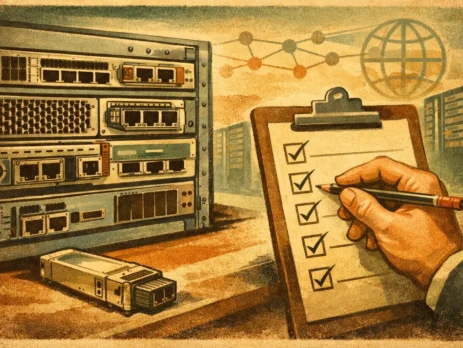
A four-point review is usually enough before issuing a purchase order:
- Confirm the module is supported by the exact chassis or fixed switch model.
- Confirm the installed supervisor, fabric, and NX-OS release meet the module requirements.
- Confirm the intended optics, cables, port mode, power, cooling, and licensing requirements.
- Confirm the supplied PID, hardware condition, and any included accessories or blanks.
When a Compatible Module Is Not the Best Choice
Compatibility does not always make a module the right investment. An older chassis may support an expansion card but require an expensive NX-OS upgrade, additional fabrics, or new power supplies that narrow the cost advantage. The same budget could sometimes be better directed toward a newer fixed switch with lower power consumption, higher port density, and a longer support horizon.
The decision depends on the role of the equipment. For a failed card in a stable, business-critical environment, an exact compatible replacement may be the lowest-risk path. For a capacity upgrade in an aging data center, validating lifecycle status and future expansion options is just as necessary as validating the compatibility matrix.
Treat every module request as a configuration decision rather than a standalone part purchase. When the chassis details, software baseline, interface design, and power requirements are documented upfront, the replacement hardware arrives ready for the maintenance window instead of becoming the next compatibility investigation.

I am an enthusiastic tech blogger with 15 years of experience in the technology field. I am passionate about sharing valuable insights and helping people who are interested in technology gain useful and practical information. I am originally from Mumbai, India.