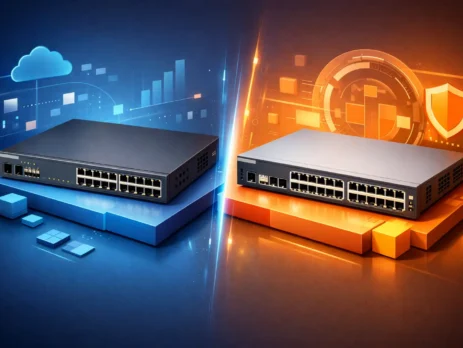
Cisco 2960 vs 9200: Which Switch Fits?
Cisco 2960 vs 9200 is mainly a lifecycle and deployment decision: use a 2960 for controlled legacy replacement or staged migration, and evaluate a Catalyst 9200 or 9200L for a new access-layer standard. Gear Net Technologies LLC (GNTME) is a Dubai, UAE wholesale catalogue for IT and network hardware. IT integrators, procurement teams, MSPs and enterprise IT teams can send the current switch SKU, port count, PoE requirement, uplink design and licence tier to request a model-specific quotation.
Cisco 2960 vs 9200: quick answer
The Cisco Catalyst 2960 family spans the 2960, 2960-S, 2960-X and 2960-XR, so the family name alone is not enough for a valid comparison. Performance, stacking, uplinks, software and Layer 3 capability vary by model. In practice, buyers usually compare an installed 2960-X or 2960-XR with a Catalyst 9200L or 9200 for replacement or expansion.
For a new access-layer standard, the Catalyst 9200 family is generally the stronger fit because it offers a current IOS XE platform, newer security and management integration, and 9200 or 9200L choices for modular or fixed uplinks. A 2960 can still fit exact replacement, spare, lab or staged-refresh needs. The correct choice depends on the exact SKU, port count, PoE budget, uplinks, stack design, routing functions and licence tier.
Lifecycle differences: Cisco 2960 vs Catalyst 9200
The biggest difference between these platforms is age. Many 2960 variants are tied to older deployment standards and older operational expectations. They were designed for a period when access switching requirements were simpler, east-west traffic patterns were lighter, and segmentation demands were less aggressive.
Use the Catalyst 9200 family as the starting point for a new campus or branch access standard, then select the SKU around endpoint density, PoE, uplinks, stacking, routing and licensing. Use a 2960 primarily when an installed base needs an exact or near-equivalent replacement, a controlled spare or a staged migration. This separates continuity needs from long-term standardisation.
Before ordering a legacy switch, verify the exact model’s software support status, compatibility and role in the refresh plan. A usable 2960 may still meet a maintenance or short-term expansion need, but ageing platforms make standardised images, spares and support planning harder. Procurement risk therefore depends on the precise SKU and intended service life, not only on whether hardware can be sourced.
Cisco 2960 vs 9200 performance and uplinks
Do not treat every 2960 as a Gigabit switch. The family covers multiple generations and model variants, so access speed, uplink media, software image and routing capability must be checked against the exact SKU. An existing 2960 can still suit stable branch, printer, voice or user-edge connectivity when its verified features match the design.
The 9200 family provides more design headroom for current access deployments, but 9200L and 9200 are not interchangeable. The 9200L uses fixed uplink choices, while the 9200 offers field-replaceable modular uplinks. Select by required uplink speed, fibre type, distance, redundancy and expected changes to the aggregation design.
For example, if a branch is moving from legacy APs to newer Wi-Fi deployments, the access switch may suddenly need more PoE budget and more uplink capacity than the original 2960 design anticipated. In that case, the 9200 is not just a newer model. It is a practical fix for emerging bottlenecks.
PoE capacity and access-layer density
PoE planning must be model-specific. Across the 2960 family, data-only, PoE and PoE+ options and their available power budgets differ. Record the current endpoint draw and growth allowance before comparing a 2960 replacement with a Catalyst 9200 or 9200L; port count alone does not prove that the replacement can power every device.
For powered access deployments, calculate demand from the actual list of wireless access points, VoIP phones, cameras, badge systems and IoT endpoints. Then verify the selected 9200 or 9200L SKU, power supplies and model power budget. This is more reliable than assuming a newer family name automatically provides enough power.
For procurement teams, inadequate PoE can trigger midspan injectors, redesign or unplanned hardware changes. Treat endpoint power demand, power-supply selection and growth allowance as bill-of-materials requirements rather than checks to make after deployment.
Security, segmentation, and software capabilities
Security differences in a Cisco 2960 vs 9200 review depend on the precise 2960 variant, software image and required controls. A 2960 may support access control and VLAN segmentation, but that does not make every model equivalent to a Catalyst 9200 running IOS XE. Map authentication, segmentation, monitoring and management requirements before selecting the platform.
The Catalyst 9200 family is designed for current enterprise access and a newer software and management framework. Evaluate it where the approved design calls for centralised provisioning, segmented access or NAC policy enforcement. Confirm each required function against the chosen model, licence tier and software release rather than relying on a family-level claim.
This does not mean every 2960 deployment is insecure. It means the 9200 is designed for security requirements that are more demanding and more common today. If your organization is under compliance pressure or tightening access controls across branches, warehouses, campuses, or mixed-user environments, that difference is not cosmetic.
Stacking, resilience, and operational efficiency
Not every 2960 model supports stacking in the same way, and some older units impose practical limits on how far you can scale a stack-based access design. In stable, smaller sites, that may not matter. In distributed enterprise environments, it often does.
The 9200 family is more attractive for organizations that want simplified operations across multiple access closets or branch deployments. Better stacking and resilience options can reduce management overhead and improve recovery during failures or maintenance windows. For managed service providers and system integrators, that translates into lower operational friction after deployment.
A switch is not just a port count decision. It is an operational platform. The easier it is to standardize images, spares, uplinks, and management practices, the lower the long-term support burden becomes.
When a Cisco 2960 still makes sense
A Cisco 2960 still makes sense when continuity is the primary requirement: an exact or near-equivalent installed-base replacement, a tested spare, a lab switch or a staged migration. In a tightly controlled legacy site, matching the known model, software practices, uplinks and rack standards may be more practical than introducing a different platform.
It can also suit a stable, low-demand edge role when its verified port, uplink, PoE, software and routing capabilities meet the requirement. The decision should be based on compatibility and lifecycle planning, not on the 2960 family name alone. Check the exact model and Cisco support status before it becomes part of a maintenance standard.
This is particularly true for maintenance stock, temporary expansions, lab environments, or staged refreshes where not every site will migrate at once.
When a Catalyst 9200 is the better fit
For most new access-layer standards, evaluate the Catalyst 9200 family first. It suits enterprise refreshes, branch standardisation, higher-density powered endpoints and designs that need current software, policy integration or uplink flexibility. The final choice between 9200L and 9200 still depends on the exact deployment.
The 9200 family is generally the lower-exposure procurement path when lifecycle support and standardisation are priorities. The 9200L fits designs where fixed uplinks meet the requirement; the 9200 adds modular uplink options and higher stack capacity. Validate the selected SKU, licence tier, software release, optics, power supplies and stack accessories as one bill of materials.
If your organization is moving users, wireless, and edge devices onto a common switching standard, the 9200 is usually the model family to evaluate first.
Buying based on deployment type, not model popularity
The best decision comes from matching the switch to the site profile. A small office with basic endpoint connectivity may not need what a 9200 offers. A campus edge, warehouse, healthcare site, or multi-floor branch likely will. This is where exact model selection matters more than general family comparisons.
Select the exact switch only after reviewing port count, uplink speed and media, PoE demand, software image, licence tier, routing functions, stack design and compatible accessories. Gear Net Technologies LLC (GNTME) supports IT integrators, procurement teams, MSPs, data-centre and enterprise IT teams sourcing IT and network hardware from Dubai, UAE. For a quotation, provide the current switch SKU and the proposed deployment requirements so the bill of materials can be checked model by model.
The practical rule is simple: retain or source a 2960 for a verified legacy continuity need; evaluate a 9200L for current-generation access with suitable fixed uplinks; choose a 9200 where modular uplinks, higher stack capacity or greater design flexibility matter. Always confirm the exact SKU, licence and compatibility before ordering.
Cisco 2960-X/XR vs 9200/9200L: model comparison
The following comparison focuses on the models most often evaluated for a Cisco Catalyst 2960 replacement or access-switch upgrade. Exact power budgets, uplink modules and software support depend on the individual SKU, so the final bill of materials should always be checked against the intended endpoints and Cisco support status.
| Selection point | Catalyst 2960-X | Catalyst 2960-XR | Catalyst 9200L | Catalyst 9200 |
|---|---|---|---|---|
| Typical role | Legacy Layer 2 access and installed-base replacement | Legacy access with enhanced Layer 3 capability | Modern access with fixed uplinks | Modern access with modular uplinks and greater expansion flexibility |
| Access ports | 24 or 48 Gigabit Ethernet, model dependent | 24 or 48 Gigabit Ethernet, model dependent | 24 or 48 Gigabit Ethernet, model dependent | 24 or 48 Gigabit Ethernet, model dependent |
| PoE options | Data-only, PoE+ and higher-budget variants | Data-only, PoE+ and higher-budget variants | Data-only and PoE+ variants; verify the model power budget | Data-only and PoE+ variants; verify power supply and model budget |
| Uplinks | Fixed uplinks; speed and media vary by SKU | Fixed uplinks; speed and media vary by SKU | Fixed 1G or 10G uplink choices by SKU | Field-replaceable modular uplink options |
| Stacking | FlexStack-Plus on supported models and configurations | FlexStack-Plus on supported models and configurations | StackWise-80 on supported models | StackWise-160 on supported models |
| Layer 3 positioning | Primarily Layer 2 access with limited routing features | IP Lite options for more capable legacy Layer 3 access | Modern IOS XE access platform; feature set follows licence tier | Modern IOS XE access platform; feature set follows licence tier |
| Software/licensing | Commonly LAN Base or LAN Lite, depending on model | Commonly IP Lite | Network Essentials or Network Advantage, normally paired with the applicable Cisco subscription entitlement | Network Essentials or Network Advantage, normally paired with the applicable Cisco subscription entitlement |
| Lifecycle fit | Best for exact legacy replacement, spares or staged refreshes | Best for maintaining an existing 2960-XR design | Good-value current-generation replacement where fixed uplinks are suitable | Preferred where modular uplinks, higher stack capacity or longer design flexibility matter |
Catalyst 9200 upgrade and migration checklist
A Catalyst 9200 replacement project should start with the service the current 2960 provides, not only its port count. Record the exact 2960-X or 2960-XR SKU, active ports, PoE draw, uplink optics, VLANs, trunks, spanning-tree settings, authentication policies, routing functions and stack layout. This prevents a lower-cost replacement model from creating an unexpected power, uplink or feature gap.
For a straightforward Cisco 2960-X upgrade, the Catalyst 9200L is often suitable when fixed uplinks match the design. Choose the Catalyst 9200 when modular uplinks, more stacking bandwidth or greater future flexibility are required. A phased migration can replace one access closet at a time while retaining tested 2960 units as short-term spares.
- Audit the installed switch: capture the running configuration, IOS version, licence level, optics, PoE consumption and stack membership.
- Map each requirement: match access-port count, PoE budget, uplink type, stack design and Layer 3 features to the proposed 9200 or 9200L SKU.
- Validate compatibility: check transceivers, power supplies, rack accessories, authentication dependencies and management-platform support.
- Prepare the new configuration: translate legacy commands carefully for IOS XE and test VLAN, trunk, routing, DHCP-snooping and access-control behaviour.
- Cut over and verify: confirm endpoints, PoE devices, uplinks, monitoring and redundancy before retiring the old switch.
How to select the correct 9200 or 9200L model
Ports and PoE
Choose 24 ports when the endpoint count and growth allowance fit comfortably; use 48 ports for denser offices, classrooms, cameras, phones or access points. Calculate the total PoE requirement from the actual endpoint list and leave operational headroom. Port count alone does not confirm that a switch has enough power for every connected device.
Uplinks
Select uplinks by required speed, fibre type, distance and redundancy. A 9200L offers fixed uplinks and can be cost-effective when the requirement is stable. A 9200 provides modular uplink choices, which is valuable where the aggregation design may change during the switch lifecycle.
Stacking and resilience
Confirm that the selected models and stack accessories support the intended architecture. Include the correct stack cables, compatible software release and power design in the procurement list. Do not assume that legacy 2960 stacking components can be reused with a Catalyst 9200 family switch.
Licences
Match the licence tier to the required network functions before ordering. The hardware suffix and entitlement should agree with the intended feature set, management approach and support term.
Network Essentials vs Network Advantage
| Licence tier | Best fit | Selection guidance |
|---|---|---|
| Network Essentials | Standard enterprise access deployments | Choose when the design needs core Layer 2 access functions and the routing or automation requirements remain within the Essentials feature set. |
| Network Advantage | More advanced routing, policy and enterprise capabilities | Choose when the approved design requires features only included in Advantage. Confirm the exact feature-to-release matrix before purchase rather than upgrading later under pressure. |
Network Essentials and Network Advantage are not interchangeable product labels. They define different feature entitlements. Cisco subscription and management entitlements may also apply, so buyers should validate the complete licence bundle, term and renewal responsibility against the exact part number.
Lifecycle, compatibility and procurement FAQs
Which Catalyst 9200 model can replace a 2960-X?
The Catalyst 9200L or 9200 is commonly evaluated as a current access-layer replacement for a 2960-X. Choose by verified port count, PoE budget, uplink type, stack architecture, routing features, licence tier, software release and accessory compatibility; there is no single replacement SKU for the whole 2960-X family.
Must every Cisco 2960 be replaced immediately?
No. A working Cisco 2960 can remain in a controlled legacy, lab, spare or staged-migration role when its capability and support status meet the requirement. For a new access-layer standard, evaluate the Catalyst 9200 family because lifecycle, software, licensing and compatibility requirements differ.
Can a 2960-X and Catalyst 9200 operate in the same network?
Yes. A 2960-X and Catalyst 9200 can coexist when VLAN, trunk, spanning-tree, routing, authentication and management dependencies are validated. They cannot form one hardware stack, and the legacy configuration should be translated and tested for IOS XE before migration.
Can existing SFP modules and accessories be reused?
Some SFP transceivers may work across the platforms, but support depends on the exact optic, switch SKU and software release. Stack cables, uplink modules and power components are platform-specific. Verify every component rather than assuming that 2960 accessories can be reused with a 9200 or 9200L.
What should a Cisco switch quotation include?
Ask for the exact switch SKU, licence tier, applicable subscription term, power supplies, rack kit, uplink module, supported optics, stack cables and support coverage. Include the existing switch SKU, endpoint count, PoE requirement, uplink design and preferred licence tier so Gear Net Technologies LLC can prepare a model-specific quotation.
Which is better for a new deployment: 9200 or 9200L?
Choose a Catalyst 9200L when its fixed uplinks and stack design match the requirement. Choose a Catalyst 9200 when modular uplinks, higher stack capacity or greater design flexibility are required. In either case, verify PoE, licences, software and accessories for the exact SKU.
Related Cisco switching resources
To request a model-specific quotation and migration bill of materials, contact Gear Net Technologies with the existing switch SKU, endpoint count, PoE requirement, uplink design, stack needs and preferred licence tier.

I am an enthusiastic tech blogger with 15 years of experience in the technology field. I am passionate about sharing valuable insights and helping people who are interested in technology gain useful and practical information. I am originally from Mumbai, India.