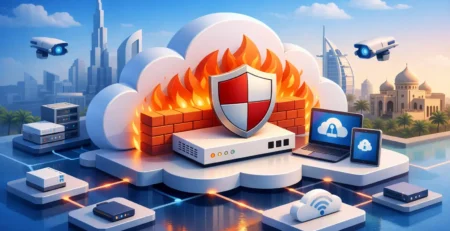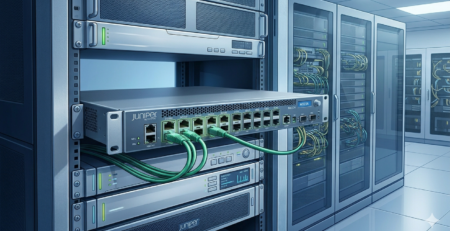
FortiGate Installation Dubai Deployment Plan
A FortiGate installation Dubai project is rarely just a firewall replacement. For an enterprise, branch network, hotel, logistics site, or multi-tenant office, the deployment affects internet availability, remote access, segmentation, cloud connectivity, and the ability to investigate incidents. The correct outcome is not simply a powered-on appliance with a default policy. It is a sized, licensed, documented security gateway that fits the organization’s traffic profile and operational requirements.
FortiGate appliances can consolidate next-generation firewall controls, VPN termination, SD-WAN, web filtering, intrusion prevention, application control, and secure access functions. That consolidation is valuable, but it also makes design discipline essential. A unit selected only on firewall throughput can become constrained once inspection services, encrypted traffic, multiple WAN circuits, and remote users are enabled.
Start With the Deployment Scope
Before selecting hardware, define where the FortiGate will sit in the network and which functions it must carry. A perimeter firewall for a single office has a different requirement than a device acting as the SD-WAN hub for branches, a VPN concentrator for hundreds of users, or an internal segmentation firewall between production and corporate networks.
Document the current internet circuits, public IP allocations, existing edge router behavior, LAN and VLAN structure, wireless controller dependencies, server subnets, cloud connections, and third-party VPNs. This information determines port requirements, routing design, NAT policies, and migration risk. It also prevents a common issue: discovering during the cutover that a legacy service relies on an undocumented port forward or static route.
Traffic analysis should cover normal utilization and peak demand. Consider the number of users, SaaS usage, voice and video traffic, planned growth, east-west traffic, and the percentage of sessions that will require SSL inspection. FortiGate performance figures vary by service. Firewall throughput, threat protection throughput, IPsec VPN throughput, concurrent sessions, and new sessions per second are separate planning values.
A practical sizing decision includes headroom. Buying for current average traffic may reduce initial cost, but it can create a replacement project when a new branch, cloud migration, or inspection policy increases load. Conversely, deploying a much larger appliance than required can increase capital cost and support expense without improving the design. The right model depends on the role of the appliance and the features that will remain enabled after implementation.
Hardware, Licensing, and Interface Requirements
FortiGate hardware selection should begin with interfaces as well as performance. Verify the required copper, SFP, SFP+, or higher-speed ports for WAN handoffs, core switching, DMZ networks, and high-availability links. Confirm transceiver compatibility and optical specifications before procurement. A firewall may have sufficient processing capacity yet still require additional switching or the correct modules to connect to the existing environment.
For organizations using a high-availability pair, plan for two identical appliances with matching firmware, storage, licensing requirements, and compatible interface assignments. HA provides redundancy, but it does not compensate for poor physical design. Separate power feeds, correctly connected heartbeat interfaces, and an agreed failover test are part of the installation scope.
Subscription planning also deserves early attention. The operational value of security services depends on the required FortiGuard packages and feature set. Web filtering, IPS, antivirus, application control, DNS security, sandboxing, and advanced threat controls should be selected against the organization’s policy needs. A basic firewall configuration may be appropriate for some controlled environments, while an internet-facing corporate edge usually needs more complete inspection coverage.
Procurement teams should verify exact model numbers, power supply type, rack-mount hardware, console accessories, compatible optics, support entitlement, and licensing term. This is particularly relevant when sourcing replacement units or expanding an established Fortinet environment with existing standards. Gear Net Technologies LLC supports technical procurement where exact hardware category and component compatibility matter, including infrastructure requirements beyond the firewall appliance itself.
Design the Network Before Creating Policies
A clean FortiGate configuration starts with a logical interface and zone design. Assign clear names to WAN, LAN, DMZ, management, guest, server, voice, and branch interfaces. If VLANs are terminated on the firewall, use a documented IP addressing and VLAN scheme that aligns with switching configuration. If Layer 3 routing remains on the core switch, define the routing boundary and security inspection points clearly.
Segmentation should be driven by business and risk requirements. Guest wireless should not have unrestricted access to internal systems. User endpoints should not automatically reach server management interfaces. IoT devices, cameras, payment terminals, and operational technology may require dedicated networks with narrowly defined rules. Broad any-to-any policies simplify the first day of deployment but make auditing and incident containment much harder later.
Routing requires equal attention. Decide whether the FortiGate will use static routes, dynamic routing, SD-WAN rules, or a combination of these. Dual-WAN designs should define failover behavior for critical applications, not only link availability. A circuit can be technically up while suffering latency, packet loss, or DNS failure that makes cloud services unusable. Health checks and performance SLAs should reflect the services employees actually use.
For published services, place public-facing servers in a suitable DMZ or use controlled reverse-proxy architecture where appropriate. Limit inbound NAT and virtual IP mappings to required services and sources. Administrative access to the firewall should be restricted to trusted management networks, protected with strong authentication, and logged. Exposing HTTPS or SSH management broadly to the internet creates unnecessary risk.
Execute the FortiGate Installation Dubai Cutover
The cutover plan should define a maintenance window, stakeholder contacts, rollback conditions, backup procedures, and verification steps. Take configuration backups from the current firewall, router, switches, and wireless infrastructure where changes are required. Export existing rules, address objects, VPN parameters, DHCP scopes, and routing information before making changes.
Build as much of the FortiGate configuration as possible before the outage. This includes firmware validation, administrator accounts, interface settings, objects, policy structure, logging, DNS, NTP, SNMP or monitoring integration, VPN definitions, and security profiles. A staging configuration reduces pressure during the live window and gives engineers time to review policy order and NAT behavior.
Policy migration should not be treated as a direct copy-and-paste exercise. Legacy firewall rules often contain duplicate objects, obsolete systems, overly broad services, and temporary exceptions that became permanent. Review each rule for source, destination, service, schedule, security profile, logging, and business owner. The goal is to preserve required connectivity while improving control.
During the physical installation, confirm rack space, ventilation, grounding, cable labeling, power redundancy, and console access. Record interface-to-cable mapping as the device is connected. For HA deployments, validate synchronization status before moving production traffic. If the installation includes managed switches or wireless infrastructure, coordinate VLAN trunking, gateway changes, DHCP relay, and access point reachability in the same change plan.
Test Security and Business Operations
Testing must go beyond opening a web page from one workstation. Validate internet access, internal DNS resolution, DHCP, SaaS platforms, voice services, email flow, business applications, remote-access VPN, site-to-site VPN tunnels, and published services. Test from each significant network segment, especially guest, server, wireless, and branch environments.
Confirm that expected traffic is allowed and that prohibited traffic is denied. Review firewall logs, threat logs, VPN events, system alerts, and resource utilization during the first operational period. SSL inspection should be tested with managed endpoints and business applications because certificate deployment, certificate pinning, or older applications can require exceptions. Exceptions should be specific and documented rather than used to bypass inspection for entire networks.
For HA pairs and multiple WAN circuits, perform controlled failover testing. Verify that active sessions behave as expected, routing converges correctly, monitoring alerts are generated, and recovery returns the intended appliance or circuit to service. A redundant design that has never been tested is an assumption, not a continuity plan.
Keep the Firewall Operable After Go-Live
A successful deployment includes operational ownership. Maintain a current network diagram, interface schedule, IP address plan, license record, administrator access procedure, backup schedule, and change log. Store configuration backups securely and test the restoration process before an urgent replacement is needed.
Firmware management should follow a controlled process. Review release guidance, hardware compatibility, known issues, and required upgrade paths before updating production units. Apply changes during approved windows and retain a rollback strategy. The same discipline applies to security policy changes, new VPN requests, and temporary access rules.
FortiGate installation is most effective when the firewall is treated as a managed network platform rather than a one-time hardware purchase. Correct sizing, exact compatible components, disciplined policies, and repeatable testing give IT teams a security edge they can operate confidently as the network changes.

I am an enthusiastic tech blogger with 15 years of experience in the technology field. I am passionate about sharing valuable insights and helping people who are interested in technology gain useful and practical information. I am originally from Mumbai, India.