Cisco Hardware Procurement for Enterprise Networks
A failed power supply in a core switch, an unavailable uplink module, or an incorrect transceiver can turn a routine Cisco hardware purchase into an outage. For enterprise procurement teams, the requirement is rarely just a switch or router. It is the exact platform, port configuration, software compatibility, power option, airflow direction, and accessory set needed to restore or extend a working network.
Cisco remains a major installed base across campuses, data centers, branch offices, service provider environments, and industrial sites. That creates a broad demand for current platforms, legacy systems, replacement components, licenses, and expansion hardware. Buying correctly requires a specification-led process rather than a brand-only search.
Cisco Procurement Starts With the Installed Platform
The first question is not which Cisco product family is popular. It is what is already deployed at the site. A replacement or expansion order should begin with the existing chassis or appliance model, current software release, interface requirements, power architecture, and network role.
A Catalyst access switch, for example, may require a specific network module, stacking cable, or power supply that is not interchangeable with another Catalyst generation. A data center switch may support several optical interface types, but the selected transceiver must match the port speed, fiber type, distance, and compatibility policy. A router can have available slots while still requiring a particular interface card family and a supported IOS or IOS XE release.
Collect the full manufacturer part number whenever possible. A family name such as “Cisco 9300 switch” is useful for initial discovery, but it is not sufficient for procurement. A complete bill of materials should identify the base unit, power supplies, fan trays, uplink modules, rack hardware, cables, optics, memory, storage, and any required licensing.
Separate the Base System From the Operating Configuration
Enterprise network equipment is often sold as a configurable system. The chassis or fixed switch is only one element of the final deployment. Buyers should verify what is included with each supplied unit instead of assuming that every item ships with all operational components.
This is particularly relevant for modular switches, routers, wireless controllers, and carrier-grade equipment. A chassis may be listed without supervisor modules, line cards, power supplies, fan trays, or software entitlements. A fixed-form-factor switch may need separate stacking accessories or uplink modules. When equipment is being used as a direct replacement, matching the failed component can be preferable to redesigning the configuration under time pressure.
Match Cisco Hardware to the Network Role
A practical procurement process classifies the requirement by function first, then confirms the platform and part number. This reduces the risk of purchasing a technically capable product that does not fit the existing operational model.
For campus and branch networks, access switching requirements usually center on port density, Power over Ethernet budget, uplink speed, stacking capability, and management consistency. Organizations replacing older access switches should evaluate whether the new platform maintains existing endpoint support while providing a reasonable upgrade path for Wi-Fi 6 or Wi-Fi 6E access points, IP phones, cameras, and high-bandwidth user devices.
Distribution and core requirements are more dependent on redundancy, forwarding capacity, high-speed uplinks, routing features, and physical resilience. Here, the decision may involve modular chassis components, redundant supervisors, dual power feeds, and matched fan assemblies. These systems should be procured against a clear design standard because a mismatched line card or supervisor can create compatibility issues that are not visible at the purchase order stage.
For branch routing and security deployments, buyers should assess WAN interface type, throughput under enabled services, VPN capacity, cellular options, and the software feature set required by the organization. The lowest-priced router is not necessarily the lowest-cost choice if it cannot support the intended encryption, routing policy, or SD-WAN deployment model.
Wireless procurement has its own dependency chain. Access points, controllers, antenna types, mounting kits, PoE requirements, and software versions need to be reviewed as a single system. An access point selected for capacity may demand a higher PoE class than the existing access layer can deliver. That issue should be resolved before installation rather than discovered during commissioning.
Components and Spares Deserve the Same Scrutiny
Replacement components are often the most urgent Cisco purchases, and they are also where small specification errors have large operational consequences. Power supplies, fan modules, optical transceivers, interface cards, and memory must be matched to the exact supported platform.
Power supplies are a clear example. Beyond the part number, procurement teams may need to confirm input voltage, output capacity, airflow direction, redundant configuration, and regional power cord requirements. In a data center environment, airflow direction matters because a power supply designed for one cooling path may conflict with the rack’s hot-aisle and cold-aisle layout.
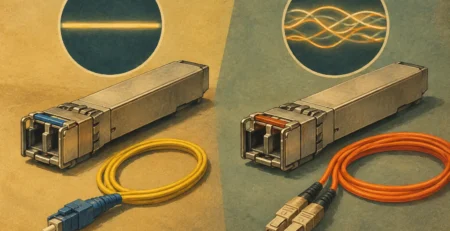
Optics require similar discipline. A 10GbE module can vary by connector type, wavelength, reach, fiber standard, and form factor. Multimode and single-mode fiber are not interchangeable. Nor are SFP, SFP+, SFP28, QSFP+, and QSFP28 interfaces, even when their names appear similar. Verify the switch port, fiber plant, target distance, and required speed before selecting a transceiver.
Keeping defined spare stock is often more cost-effective than ordering after failure. The correct inventory level depends on the criticality of the environment, equipment age, lead times, and the number of identical units deployed. Common spares may include power supplies, fans, stack cables, optics, access switches, routing modules, and controller components. Standardizing deployed models makes this strategy more practical because a smaller pool of parts can protect more sites.
Lifecycle Status Changes the Buying Decision
Cisco environments commonly contain a mix of current, end-of-sale, and legacy platforms. End-of-sale status does not automatically mean equipment must be removed. Many organizations continue using established systems where performance, support arrangements, and security requirements remain appropriate. The procurement challenge is knowing when a like-for-like replacement is sensible and when an upgrade is the safer operational choice.
For a short-term restoration, sourcing the same model or compatible spare may minimize downtime and configuration work. For an expansion project, it may be better to move to a supported platform with improved capacity, current software support, and longer availability of replacement parts. The correct choice depends on the organization’s refresh schedule, budget, existing architecture, and tolerance for change.
Lifecycle planning should also account for software. Hardware capability and software entitlement are related but distinct. A platform may physically support a feature while the installed license tier or software release does not. Before placing an order, confirm whether the requirement includes a perpetual entitlement, subscription, feature license, smart licensing process, or an existing transferable entitlement. Licensing assumptions should be documented in the bill of materials rather than handled as an afterthought.
Use a Technical Bill of Materials
A strong bill of materials gives purchasing, engineering, and suppliers a common reference. It should list the exact Cisco part number, description, quantity, required condition, included accessories, compatibility notes, and target delivery date. Where a substitution is acceptable, define the approved alternatives and the conditions under which they may be supplied.
For multi-site projects, include site allocation and installation dependencies. A switch order may need location-specific power cords, localized rack kits, particular optic lengths, or staged delivery to coincide with maintenance windows. This level of detail prevents a correct product from arriving at the wrong location without the components needed to put it into service.
Condition requirements should be stated clearly as well. New equipment, refurbished equipment, and tested replacement units can each fit a valid business case. New equipment may be preferred for standardized deployments and full lifecycle alignment. Refurbished or tested hardware can be appropriate for legacy support, urgent replacements, lab environments, and cost-controlled expansions. The key is transparent condition reporting, functional testing, and accurate component inclusion.
Source for Accuracy, Not Just Availability
Enterprise buyers need a supplier that can interpret product specifications and verify availability at the part-number level. This is especially valuable when a requirement includes older Cisco modules, uncommon power variants, or multiple related components that must work together. A supplier should be able to distinguish a base unit from a configured system and identify missing accessories before shipment.
Gear Net Technologies supports this type of procurement with enterprise networking hardware across switching, routing, wireless, power, modules, cards, memory, flash, and related components. For organizations managing regional projects in Africa or international hardware movements, accurate order validation and coordinated sourcing can be as important as the equipment itself.
Price remains a material factor, but it should be assessed against compatibility, delivery timing, condition, configuration completeness, and the cost of a failed installation. A lower unit price loses value quickly if the product cannot be installed, does not support the required software release, or arrives without a necessary power supply or mounting component.
The most effective Cisco purchase order is specific enough to prevent interpretation. When the platform, software needs, accessory set, lifecycle position, and delivery requirement are confirmed before sourcing, the hardware becomes a planned infrastructure decision rather than an emergency correction.

I am an enthusiastic tech blogger with 15 years of experience in the technology field. I am passionate about sharing valuable insights and helping people who are interested in technology gain useful and practical information. I am originally from Mumbai, India.